I Built My Mom a Restaurant App for $20/Month
My mom runs a small food business out of her kitchen in Florida. She sells dumplings, vareniki, and other Eastern European dishes to local restaurants — you can see her menu at dailydumplings.com. She managed everything — orders, invoices, inventory, bank reconciliation — with notebooks, WhatsApp messages, and a shoebox of receipts. I built her a full business app. The whole thing costs less than a Netflix subscription to run.
The Notebook System
Here's how my mom ran her business before the app:
- Orders: Restaurants text her on WhatsApp. "50 pelmeni, 30 vareniki, deliver Thursday." She writes it in a notebook.
- Invoices: She types them manually into Word. Different pricing for different restaurants. She looks up last month's invoice to remember what she charged.
- Inventory: She knows what's in the freezer because she checks the freezer. There's no system.
- Receipts: A box. She sorts them at tax time. Or doesn't.
- Bank reconciliation: She prints her bank statement and highlights things with a marker.
This system works until it doesn't. She forgot to invoice a restaurant once — $400 gone. She double-counted a delivery and charged a client twice — embarrassing call. She had no idea which products were actually profitable because she'd never calculated margins.
I'm a developer. My mom makes dumplings. This was the most obvious project I'd ever build.
Version 1: The "Everything" App
I went overboard. The first version had everything:
- Full order management with multi-location batch processing
- Invoice generation with PDF export
- Freezer inventory tracking with low-stock alerts
- Bank account integration (Plaid API for live transactions)
- Receipt scanning
- Production scheduling and logs
- Client management with order history and predictions
- Business health score (0-100)
- Cash flow forecasting
- Profit margin calculations by product
- Tax deduction categorization
- Push notifications
- Bilingual (Russian/English) UI
It was packed. And honestly? She used about 30% of it. The dashboard was overwhelming. The production scheduling was overkill for someone who makes dumplings in her kitchen on Mondays. The cash flow forecasting was cool but she never looked at it.
Lesson #1: Building for a family member means you see the real usage patterns. You can't hide behind metrics and DAU numbers. You see your mom open the app, get confused, and go back to her notebook. That's immediate, painful feedback.
Version 2: The "Talk to Me" App
Version 2 was a rebuild around one insight: my mom doesn't want to tap through menus. She wants to talk.
She already describes her orders out loud: "Mangal needs 50 pelmeni and 30 vareniki for Thursday, and Ikra wants the usual." So I built an AI chat that understands that sentence and turns it into an invoice.
The AI chat that creates invoices
This is the feature that changed everything. She opens the app, taps the chat icon, and either types or voice-dictates her order. The AI:
- Parses the text — extracts client name, line items, quantities, prices, delivery date
- Resolves client names — "Mangal" maps to the correct legal entity, "the usual" maps to their typical order from invoice history
- Handles multi-location orders — "Mangal Sunny" and "Mangal Biscayne" are different locations, different invoices
- Shows confidence scores — if it's not sure about a price or quantity, it highlights that line for review
- Creates the invoice — with automatic numbering, correct per-client pricing, and PDF generation
The AI knows her business. The system prompt includes her client list, pricing rules (wholesale vs premium), product catalog, and 30 most-ordered items with average prices. When she says "Ikra wants the usual," it knows what that means because it's seen the last 6 months of invoices.
"I just tell it what happened and it makes the invoice? This is like having a secretary."
— my mom, the first time she used voice-to-invoice
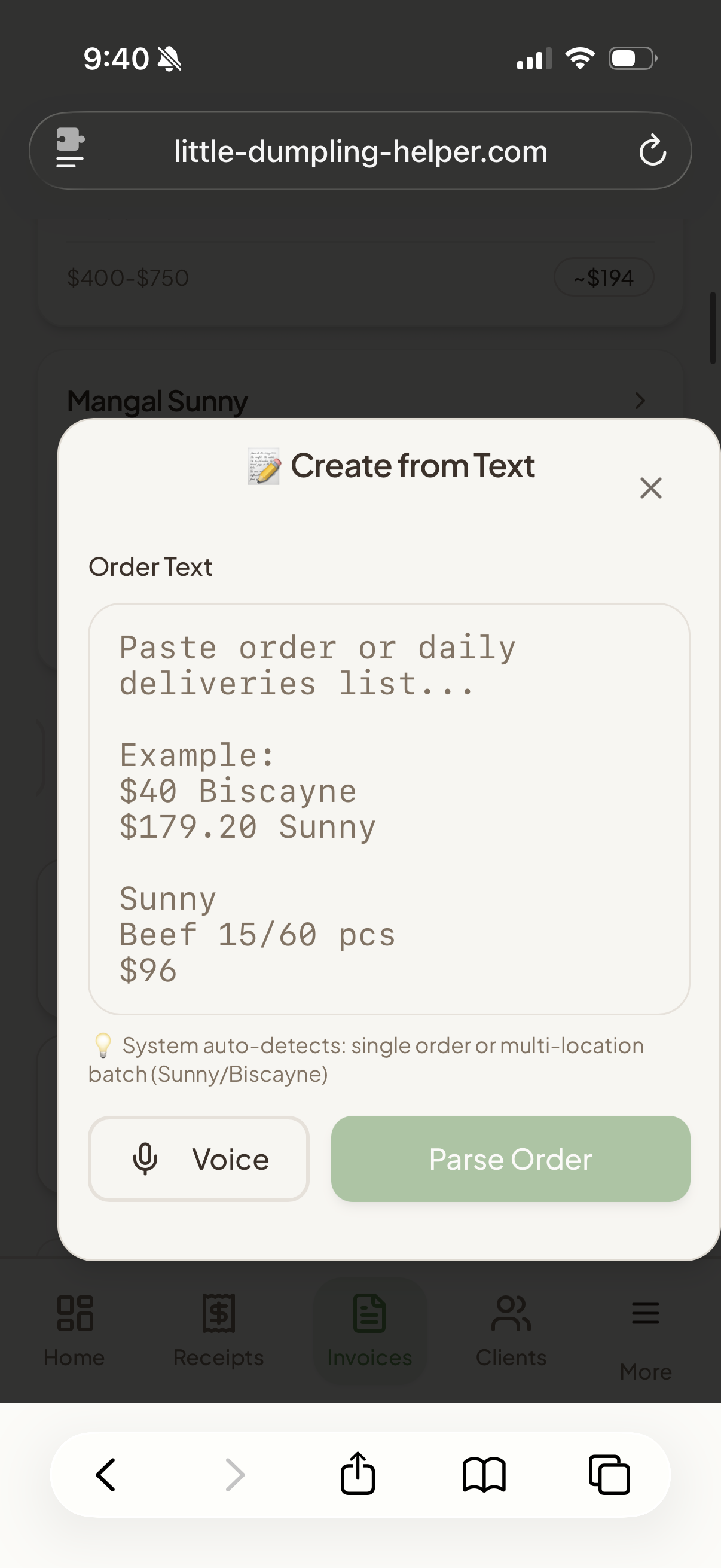
Paste an order, AI parses it
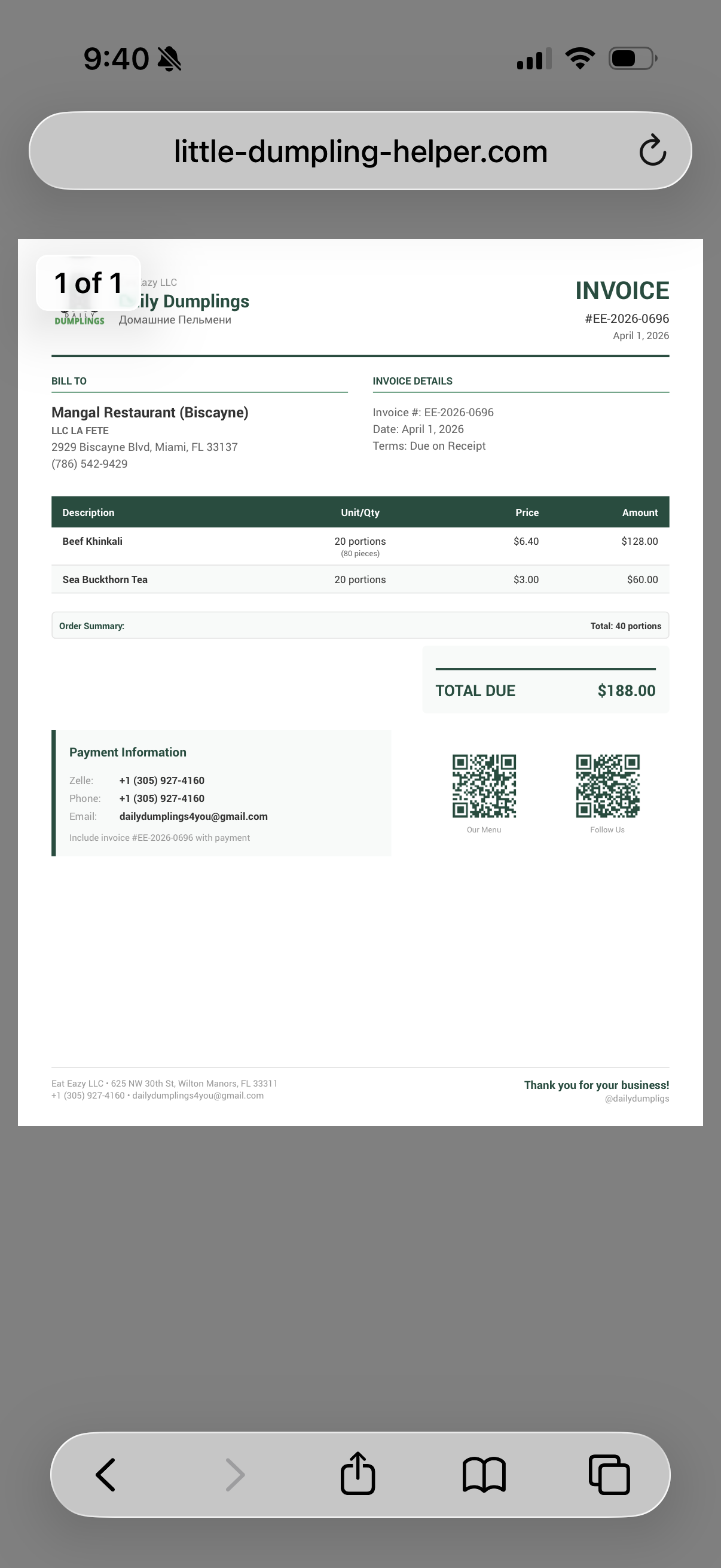
Generated invoice with QR codes
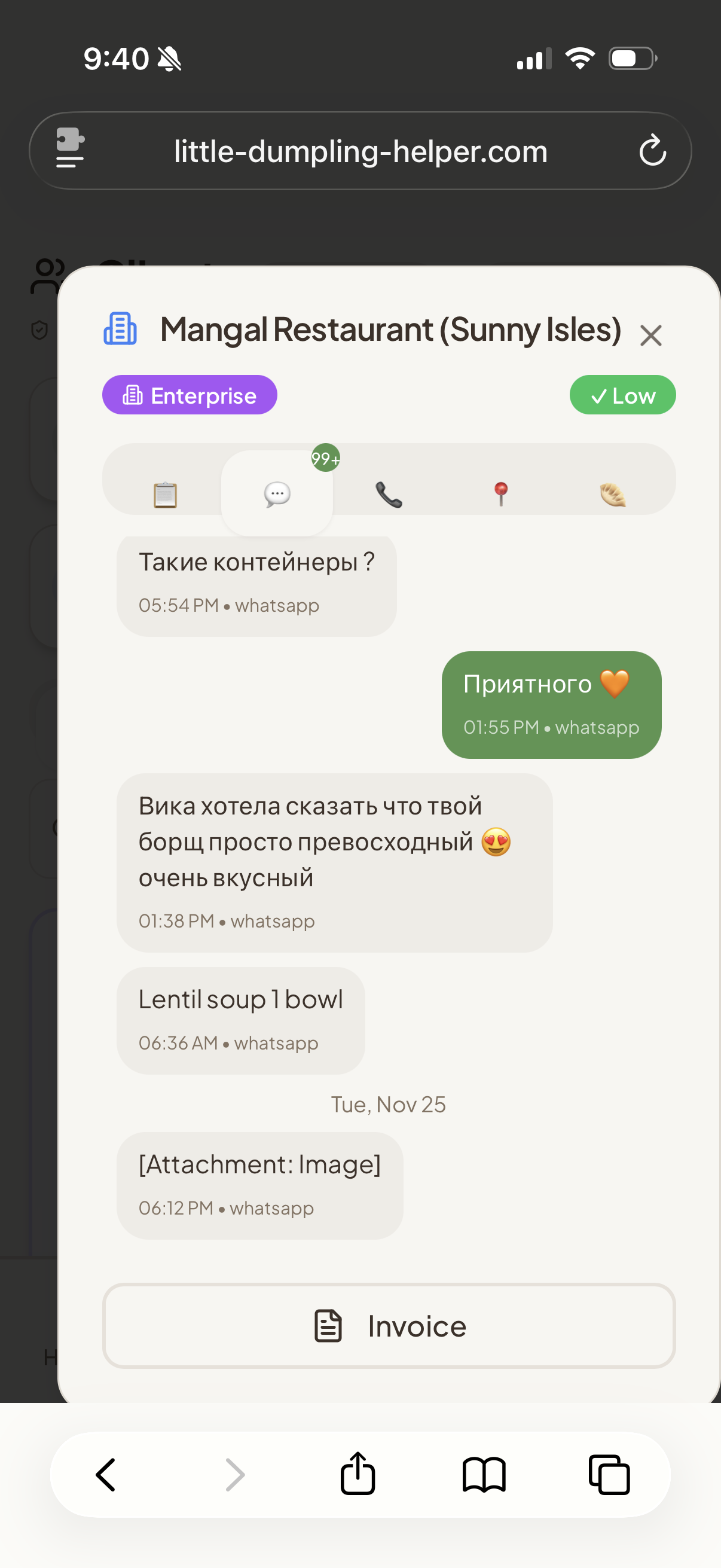
WhatsApp messages, bilingual
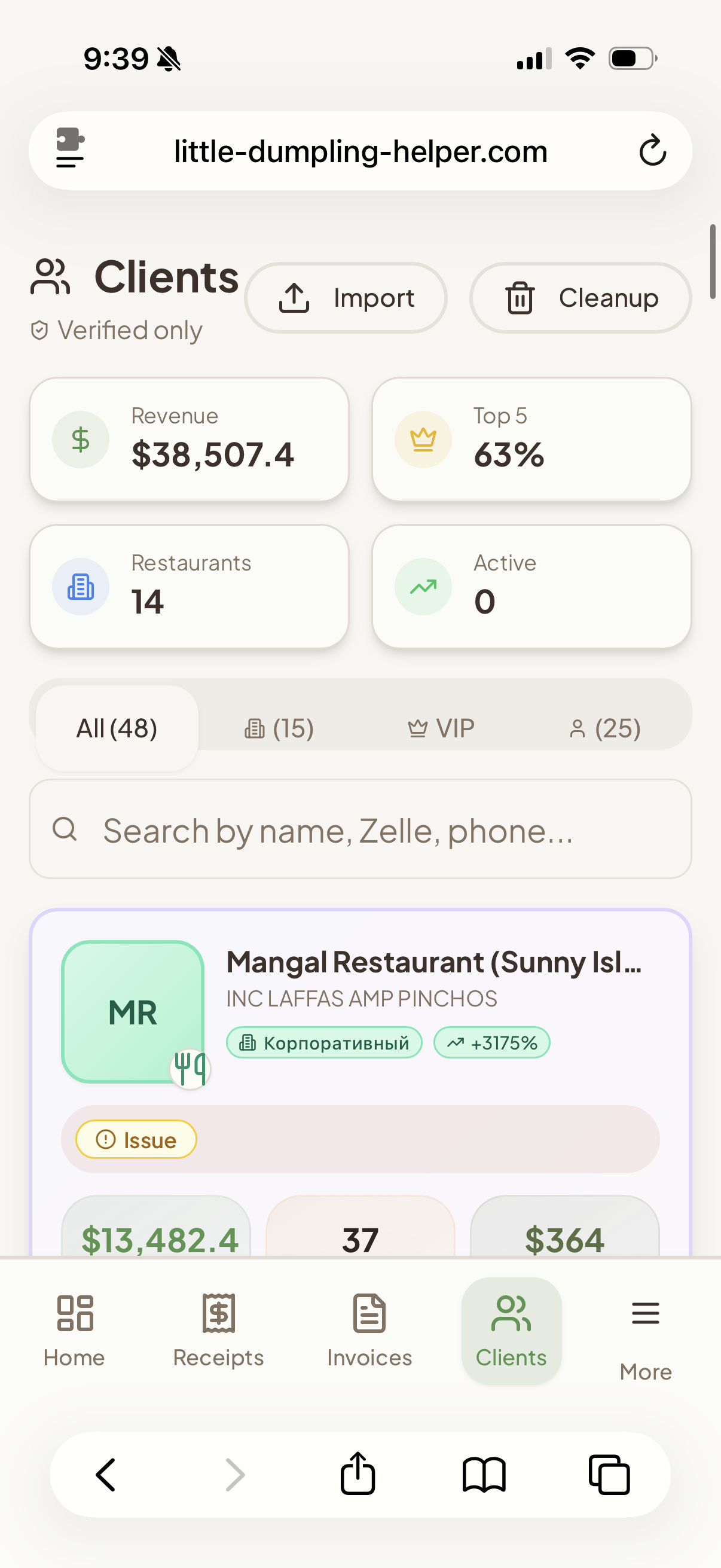
Client dashboard — $38K tracked
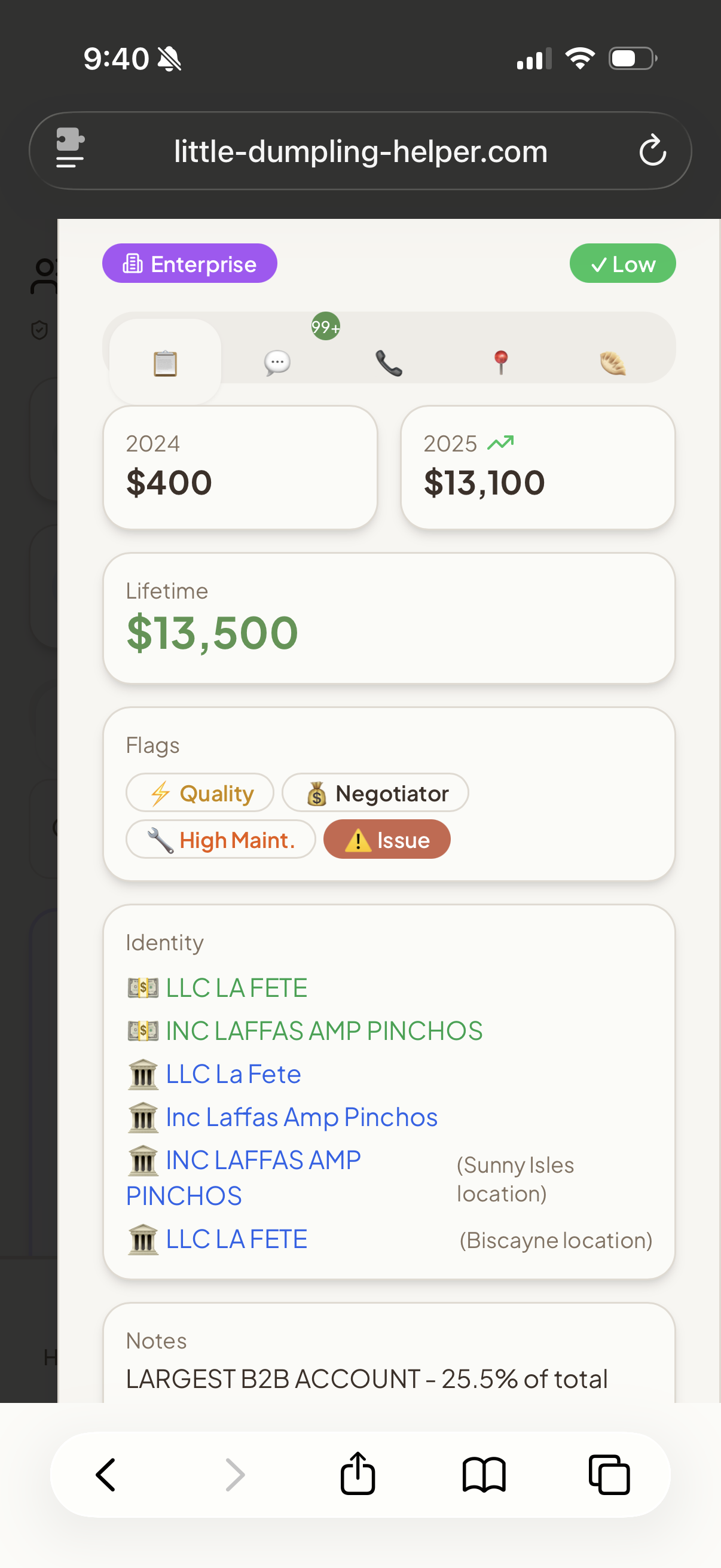
Client intelligence — flags & LTV
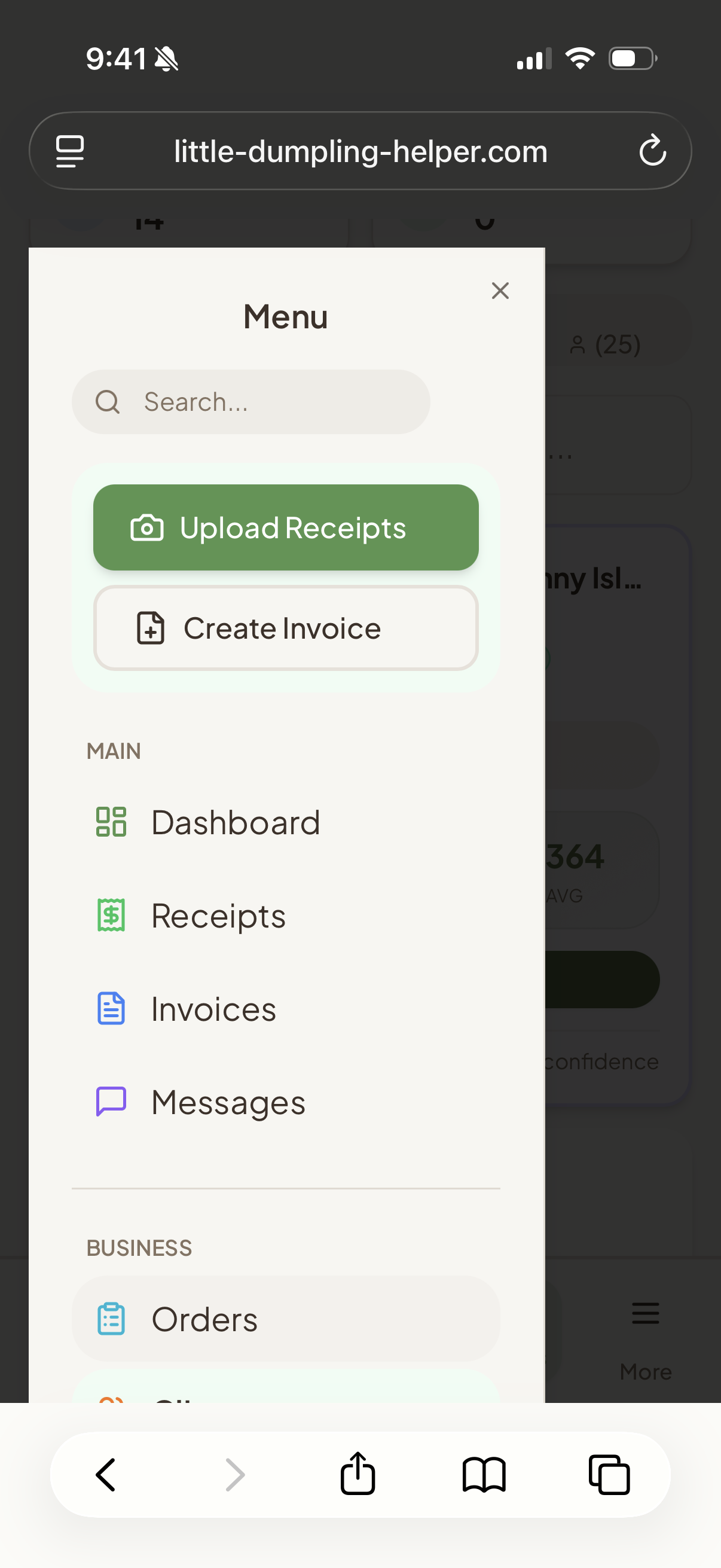
Everything in one app
What stayed, what got cut
Kept
- AI chat for orders + invoices
- Invoice history + PDF export
- Client management
- Freezer inventory
- Receipt capture + categorization
- Bank transaction import
- Bilingual (Russian/English)
- Daily revenue summary
Cut
- Production scheduling
- Cash flow forecasting
- Business health score
- Push notification system
- Order predictions
- Complex analytics dashboards
- Plaid live integration (CSV import instead)
The cut list is everything that was cool to build but my mom never opened. The kept list is everything she uses daily. Lesson #2: Cut features your user doesn't open. Not features you're proud of. There's a difference.
The Stack (And What It Costs)
| Component | What It Does | Cost/Month |
|---|---|---|
| Supabase | Database, auth, storage, edge functions | $10 |
| Claude API | Invoice parsing, business chat, receipt OCR | ~$5-10 |
| Vercel | Hosting (free tier) | $0 |
| Domain | Custom domain (optional) | ~$1 |
| Total | ~$20/mo | |
For context, here's what "real" restaurant software costs:
- Square for Restaurants: $60-165/month
- Toast: $69-165/month + hardware
- QuickBooks + invoicing: $30-90/month
- Custom app from a dev shop: $15,000-50,000 upfront
My mom's app does 80% of what those tools do for $20/month. The 20% it doesn't do (POS hardware, payment processing, employee scheduling) she doesn't need. She's one person making dumplings in her kitchen.
How the AI Chat Works (Technical)
Three Supabase Edge Functions power the AI features:
1. The Business Agent
A Claude Sonnet-powered agent with a ~400-line system prompt containing the full business context: client list, pricing rules, product catalog, delivery schedules, even recipe troubleshooting tips. It can answer questions like "how much did I sell last month?" or "what does Mangal usually order?"
2. The Order Parser
Takes natural language text (typed or voice-transcribed) and extracts structured order data. It queries the last 30 most-ordered products with average prices to resolve ambiguous references like "the usual." Returns structured JSON with confidence scores for each line item.
// Input (voice transcription):
"Mangal needs 50 pelmeni for Thursday
and Ikra wants 20 vareniki"

// Output:
{
  "orders": [
    {
      "client": "INC LAFFAS (Mangal)",
      "items": [
        { "product": "Pelmeni", "qty": 50,
          "price": 3.50, "confidence": 0.95 }
      ],
      "delivery": "Thursday"
    },
    {
      "client": "Ikra",
      "items": [
        { "product": "Vareniki", "qty": 20,
          "price": 4.00, "confidence": 0.90 }
      ]
    }
  ]
}
3. The Receipt Processor
Upload a photo of a receipt. Claude extracts vendor name, total, date, line items, and suggests a tax category. It matches the receipt to unreconciled bank transactions. No more shoebox.
Building for a Non-Technical User
The hardest part of this project wasn't the code. It was designing for someone who:
- Primarily speaks Russian
- Has never used a business app before
- Thinks "the cloud" is a weather thing
- Will call me at 7 AM if something looks different than yesterday
What I learned
Bilingual isn't optional, it's survival. My mom reads Russian faster than English. Every label, every button, every error message needs both languages. The AI chat responds in whichever language she types in.
Voice input > typing for this user. My mom can describe an order out loud in 10 seconds. Typing it takes 2 minutes and she makes spelling errors that confuse the parser. Voice transcription (Web Speech API, optimized for iOS) was the single biggest UX win.
One big button > five small buttons. Version 1 had a sidebar with 8 navigation items. Version 2 has a chat icon and 4 tabs. She uses the chat icon 90% of the time.
Show the money first. The dashboard starts with today's revenue number, big and centered. Not a chart. Not a table. Just the number. That's what she looks at every morning.
Confidence scores build trust. When the AI parses an order, it shows green/yellow/red confidence on each line item. My mom learned quickly: green means "just hit send," yellow means "double-check the price." She trusts the system because it tells her when it's not sure.
What This Looks Like for Other Small Businesses
My mom makes dumplings. But this architecture works for any small food business, service business, or solo operator:
- Caterers: Order parsing from client emails/texts, per-event invoicing, ingredient inventory
- Food trucks: Daily revenue tracking, supplier receipt matching, menu-item profitability
- Personal chefs: Client management, dietary tracking, recurring order templates
- Bakeries: Production scheduling (this one they'd actually use), batch invoicing, wholesale pricing tiers
- Cleaning services: Job scheduling → invoice generation, supply inventory, client communication log
- Freelance trades: Quote → invoice pipeline, receipt tracking, mileage/expense categorization
The core pattern is the same: natural language input → AI parsing → structured business data → automated documents. Change the product catalog and the system prompt, and this app works for anyone who invoices clients and tracks expenses.
The Costs That Don't Show Up in the Table
Let's be honest about the real costs:
- Claude Max subscription: I used Claude Code to build most of this. That's $100-200/month, but I use it for everything, not just this project.
- My time: v1 took about 2 weeks of evenings and weekends. v2 rebuild took about a week.
- Ongoing support: My mom calls me. That's free but it's not nothing.
If you're building this for a client (not your mom), factor in your time. But the recurring infrastructure cost really is $20/month. That's the whole point — this stack is absurdly cheap for what it does.
Would I Do This Again?
Yes. But differently:
- Start with the chat. I should have built the AI order-to-invoice flow first and everything else second. It's the feature she uses most and it's the one that sold her on using the app at all.
- Ship v2 first. v1 was me showing off. v2 was me listening. Skip the showing-off phase.
- Watch them use it. Not "ask them what they want." Watch. My mom said she wanted analytics dashboards. What she actually wanted was to see today's number.
"You know what I like? I talk, it makes the invoice, I send it. Before I had to type everything. Now I just talk."
— my mom, describing the entire value proposition better than I ever could
(Building two versions of the same app means a lot of context to carry between sessions — what worked, what got cut, what my mom actually uses. I use Brain Kit to keep all of this in persistent memory across my AI tools. Every architecture decision, every UX insight, searchable by meaning.)
The best software I've ever built isn't the dashboards I build at work, or the data pipelines, or the AI video tools. It's the app that lets my mom stop writing invoices by hand and spend that time making dumplings instead.
That's the whole point of building things. Not the technology. The dumplings.
Dash Biz Suite ($59)
This is the app from the post — genericized, documented, and ready to deploy for your business. Invoicing, receipts, inventory, profit tracking, AI assistant. All 7 kits in one.
Get Dash Biz Suite — $59Want the same app?
The Dash Biz Suite is the productized version — all 7 kits bundled for $59. Invoicing, receipts, inventory, profit tracking, and more.
Browse the shop →